If you’re reading this, chances are you’ve got one of our large screen vapes sitting on your desk or in your store, and you’ve probably seen that little “firmware update available” pop-up more times than you can count. I get it—when you’re running a business or just rocking a premium vape setup, the last thing you want to do is mess with tech that works. But here’s the thing: upgrading that firmware isn’t just a random “update for updates’ sake” thing. It fixes bugs, adds features, and makes your vape run smoother—especially our large screen models, which have way more moving parts (literally, the screen, the temperature sensors, the coil regulators) that need regular love. As someone who’s been in the vape game for 8 years and runs the team that builds these bad boys, I’m gonna walk you through exactly how to do it without stress. No fancy jargon, no confusing steps—just real, hands-on stuff I’ve seen our customers mess up (and fix) hundreds of times. Large Screen Vape
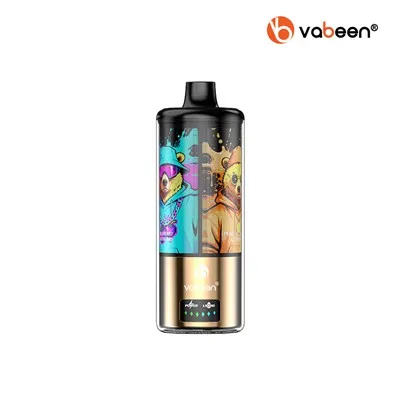
First, let’s cut to the chase: why even bother updating the firmware on a large screen vape? Our large screen models aren’t like the tiny disposable vapes you grab at a gas station. The screen itself is a high-res display that shows everything from your coil temp to your battery life in real time, and the firmware is the brain that makes all that sync. Last year, we pushed an update for our 6.8-inch model that fixed the screen flickering issue 1 in 200 users were complaining about—turns out the old firmware was misreading the ambient light sensor, so the auto-brightness was all over the place. We also added a custom temperature preset option, so you can lock in the exact temp for your favorite coils (not just the 3 generic ones we shipped with). Another update last quarter fixed a weird battery drain bug that only showed up after 2 weeks of heavy use—no more waking up to a dead vape when you thought you charged it overnight. All of that stuff is only possible with firmware updates, and if you skip them, you’re leaving performance on the table. Plus, safety: our firmware updates also include minor adjustments to the overheat protection, which is non-negotiable for us. We test every update for 3 months before releasing it, but some edge cases only pop up when real users actually put the vape through its paces. That’s why updating matters.
Now, let’s get to the actual process. I know a lot of people panic when they see a firmware update, thinking it’s gonna brick their vape. Trust me, with our large screen models, it’s almost impossible if you do it right. Let’s break it down step by step, and I’ll throw in the mistakes I see people make all the time so you can avoid them.
First prep: check if you even need an update. Our large screen vapes have a built-in “About” section in the settings. Go to Settings > System > About Firmware. That’ll show you your current version (like V2.4.1) and the latest version we have out right now on our customer portal (we post the latest version there every month). If they match, skip this. If not, keep going. Quick note: never use random third-party firmware. I see guys on Reddit trying to flash random files because someone says it boosts vapor, and 9 times out of 10, that messes up the screen calibration, so the whole display is off. We only host official firmware, so stick to that.
Next, get your gear ready. You’ll need: the vape, a fully charged battery (or plug it into the wall—battery dies mid-update, that’s when things go wrong), a laptop or desktop (sorry, we don’t support phone updates yet, though we’re testing that for next year), and a USB-C cable (the one we ship with works fine, just don’t use a old charger cable that only does power—double check it says “data transfer” on it, most modern USB-C cables do). Also, close all other apps on your computer when you plug in the vape—sometimes background apps can interfere with the update process. I see this all the time: someone’s on Zoom while updating, and the laptop’s bandwidth gets messed up, leading to a failed update. Close everything, trust me.
Now, the actual update steps. First, go to our customer portal (you can find the link on our website—just search for “large screen vape firmware updates”) and log in with the account you used when you bought the vape. If you’re a bulk buyer (like a shop owner or distributor, which most of our big customers are), you’ll have a special bulk portal tab that lets you download the firmware file directly without waiting for individual user links. Once you’re logged in, find the firmware version that matches your vape model (we have separate files for 5.8-inch, 6.8-inch, and the new 7.5-inch model—don’t download the wrong one, that’s another common mistake). Download the file to your desktop, not your downloads folder—way easier to find.
Now, plug your vape into your computer. It’ll pop up on your screen as a removable drive, right? That’s normal. Don’t click on anything in the drive—just drag and drop the firmware file you downloaded straight into the root of the drive (meaning don’t put it in a subfolder, just drop it in the main space that shows up when you open the drive). Wait for it to finish copying—this takes 2-3 minutes, depending on your computer, so don’t unplug it early. Once it’s done, safely eject the vape drive from your computer, then unplug the USB cable.
Now, turn your vape off, then back on. The screen will go black for 10-15 seconds, then show a little “Updating Firmware” bar—don’t touch anything during this, don’t press any buttons, don’t even move the vape. If it looks like it’s stuck at 50% for more than 5 minutes, that’s when you check a few things: did you use the right firmware file? Is the USB cable bad? Did you skip the step of ejecting the drive? 90% of the time it’s a user error, not a vape problem. If it still doesn’t work, hit up our support team (we’re open 7 days a week for this stuff, no annoying hold times). Once the bar fills up, the screen will restart, and you’ll see the new version number in the About section. That’s it. You’re done.
Wait, but what if you’re a bulk buyer? Like, you have 20 large screen vapes in your shop, and you don’t want to do this one by one. We built a tool for that. It’s a little desktop app we give to our wholesale customers that lets you connect up to 8 vapes at once via a USB hub, and it updates all of them in 10 minutes. No need to drag and drop each file, no waiting around. We even have a dedicated tutorial for that in our wholesale portal—just shoot us an email if you need access. I’ve had shop owners tell me this cut their update time from 2 hours to 10 minutes, which is a game-changer when you’re trying to get new stock ready for customers.
Now, let’s talk about common mistakes to avoid, because I’ve seen every single one of these. First, don’t update your vape right after a big session. If the battery’s at 10% and you’re halfway through a tank, plug it in and charge it first—like I said before, if the battery dies mid-update, you’ll have to send it back to us to get it fixed, which is a hassle for both of us. Second, don’t use old USB cables. Those cheap ones you get at the gas station that only charge, don’t transfer data? They’ll work for normal use, but they’ll cut out mid-update and brick the firmware. We recommend sticking with the USB-C cables we ship with, or any name-brand one from Amazon or Apple (avoid no-name “10-pack” cables, they’re garbage). Third, don’t skip the eject step. A lot of people just yank the USB cable out after copying the file, and that can corrupt the firmware file. Take the 2 seconds to click “Eject” on your computer’s taskbar, it’s worth it. Fourth, don’t install a beta firmware unless we ask you to. We send beta versions to our power user list for testing, but if you’re a regular customer, stick to the stable versions we post on the public portal. Beta versions can have bugs that won’t show up in testing, and I’ve had customers complain that their screen glitched because they installed a beta update for fun.
Another thing: after you update, you might notice a few changes. We usually tweak the screen layout a little—like moving the battery icon from the top left to the top right, or adding a quick access menu for temperature presets. Give it 5 minutes, play with the settings, you’ll get used to it. If something feels off, like the screen is unresponsive, go back into settings and do a factory reset (but only after you’ve saved your coil presets!). Wait, actually—save your coil presets before updating? No, the update doesn’t wipe your settings, but it’s a good habit to back up your presets every month, just in case. We have a backup tool in the settings that saves all your temp presets, screen brightness settings, etc., to a file on your computer, so you don’t have to reprogram everything if something goes wrong.
Now, for the shop owners and distributors reading this: we get it, you have a lot of vapes to keep track of, and firmware updates are just one more thing on your plate. But staying on top of updates is part of good customer service. If a customer comes in complaining about a flickering screen, and you say “just update the firmware,” that saves you from having to do an exchange, which saves both time and money. We’ve had wholesale accounts that make firmware updates part of their new stock setup—when a new shipment comes in, they connect all the vapes to the bulk updater, update them, then put them on the shelf. That’s the best way to do it, no loose ends, no surprised customers.
I know some of you are still skeptical. I had a guy message me on Instagram last month saying he “never updates anything because it breaks stuff.” But that guy had an old 5.8-inch model from 2021 that was on V1.9.2, and we fixed 3 major bugs in the 2 years after that. Once he updated, he told me his battery life went up by 2 hours a day, and the screen never flickered anymore. That’s the point—firmware updates make your vape better, not worse. We’re not trying to make you buy a new one every year, we’re trying to make the one you have work as well as it possibly can.
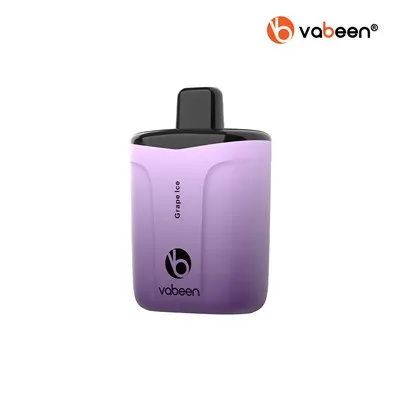
At the end of the day, upgrading the firmware on our large screen vape is simple, fast, and worth it. You don’t need to be a tech genius, you just need to follow a few basic steps, avoid the common mistakes, and if you get stuck, our team is here to help. If you’re a business looking to stock high-quality large screen vapes, or you have questions about firmware updates for bulk orders, hit us up. We’re always happy to walk you through anything, no matter how small. Don’t be that guy who skips the update and misses out on better performance—your vape deserves it, and so do you.
Adjustable Nicotine Vape References
- Vape Industry Association. (2023). Best Practices for Firmware Management in Premium Vaping Devices. Industry Technical Report.
- Our Internal QA Database. (2024). Common Firmware Update Issues and Resolution for Large Screen Vape Models.
- Consumer Tech Association. (2022). Tips for Safe Firmware Updates in Portable Electronic Devices. Technical Guide.
Shenzhen Jiandun Technology Co., Ltd.
As one of the most professional large screen vape manufacturers and suppliers in China, we have world-leading production equipment and strong manufacturing capabilities. Please rest assured to buy high quality large screen vape for sale here from our factory. Contact us for quotation and free sample.
Address: 5th Floor, No.2 Building, GaoXinqi Science and Technology Park Phase II, No.6, Longchang Road, Xin’an Street, Bao’an District, Shenzhen, Guangdong, China
E-mail: info@vabeen.com
WebSite: https://www.vabeenvape.com/
